My work gathers the actions available to you in the current workspace. It includes eligible reviews, approvals, acknowledgments, assigned tasks and signatures.
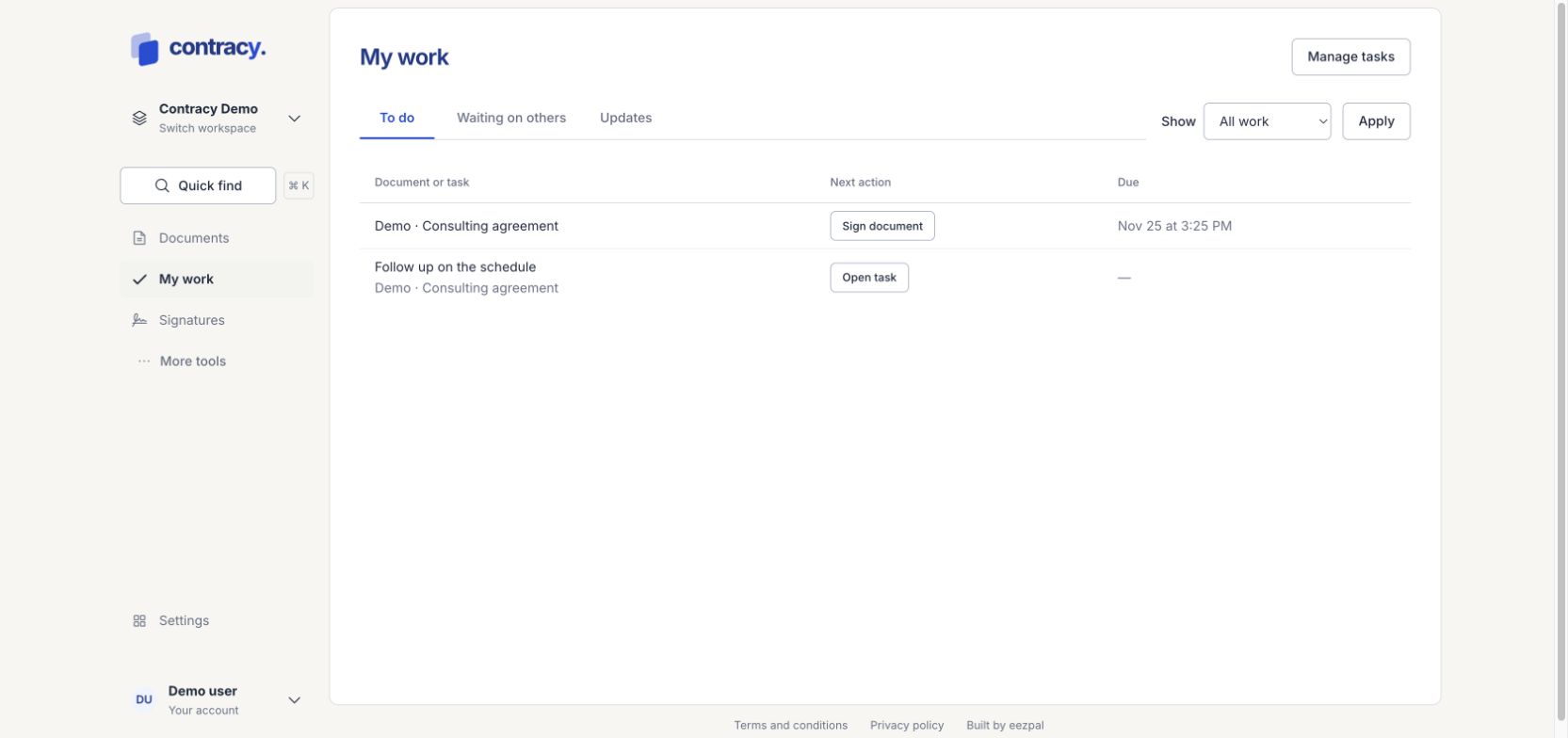
Choose a view
-
To do shows work that needs your response.
-
Waiting on others shows requests and tasks you initiated that are waiting on someone else.
-
Updates shows your authorized notifications.
Use Show to filter by Reviews, Tasks or Signatures, then choose Apply. The next-action control opens the relevant document or task.
Respond to a review
-
Open the review from My work.
-
Read the exact document revision shown.
-
Use the available Approve, Request changes, Reject or Acknowledge action for that request.
A review or approval is not an electronic signature. If the file changes, a previous response may no longer satisfy the review requirement for the new content.
Request a review
From an editable document, open the review or approval action. Choose people who have document access, the response type and any routing or deadline options, then choose Request response. Sequential routing makes each eligible response available in order.
Work with tasks
Choose Manage tasks for the task list. Open a task to check its document context, assignee and due date, then make the permitted changes.
If an assignment is missing
Check the workspace and filter. Completed, expired or not-yet-eligible work may not appear in To do. A person who has lost the required document access cannot act on an old assignment. Ask a workspace or matter administrator to check access when appropriate.
Screenshot uses fictional local demo data.